25 Best Product Video Examples for Marketing of 2026!

Co-founder of Yum Yum Videos | Explainer Video & Video Marketing Expert
Product marketing videos change with the product. Software may need the interface on screen, while physical products often need movement, materials, or scale. MedVector had another problem: one healthcare product had to make sense to investors, doctors, hospitals, and regulators.
These 25 product video examples for 2026 include software demos, physical product films, technical explainers, and lifestyle commercials. Some are projects from Yum Yum Videos and others are public campaigns.
25 Best Product Video Examples for Marketing
What Is a Product Video?
A product video is built around a specific product or service. It can show the product in use, explain a workflow, demonstrate a feature, or give buyers a closer look at materials and construction. The format changes with the product: live footage, screen recordings, animation, macro photography, interface overlays, or a mix of them.
Software videos often need to make an invisible workflow visible. Physical product videos have a different advantage: they can show scale, materials, movement, assembly, and real use in one sequence.
25 Product Video Examples, Grouped by What They Need to Do
Product Demos and Software Workflows
This first group is about software, interfaces, and processes that are hard to understand from a product page alone.
1. Amazon Coins: Animated Product Video by Yum Yum Videos
Amazon Coins is a digital currency, so there is no physical object to put in front of a camera. The video needed something viewers could follow while the narration explained earning and spending.
Yum Yum Videos turned the coin into a character and used it throughout the explanation. That gave the currency a recognizable presence instead of leaving the whole video to interface screens and narration.
The character also keeps the sequence coherent. Earning, saving, and spending all happen around the same visual element, which helps an abstract product feel less abstract.
I have run into the same issue on other SaaS projects. In the Branch case study, mobile linking and attribution had to make sense before the viewer knew anything about the technical architecture behind it.
2. Recognize: Product Marketing Video With Live Action and Motion Graphics
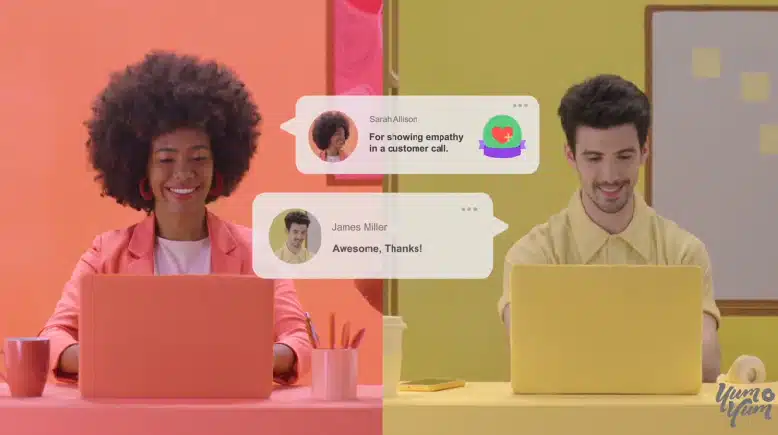
Recognize needed to explain the software and keep its users visible at the same time. Live footage establishes familiar workplace situations, while animated interface callouts point to the software features mentioned in the script.
The two formats have separate jobs here. The actors give the product a recognizable workplace context, and the motion graphics show exactly what the software is doing.
3. Slack: Product Feature Video With an In App UI Demonstration
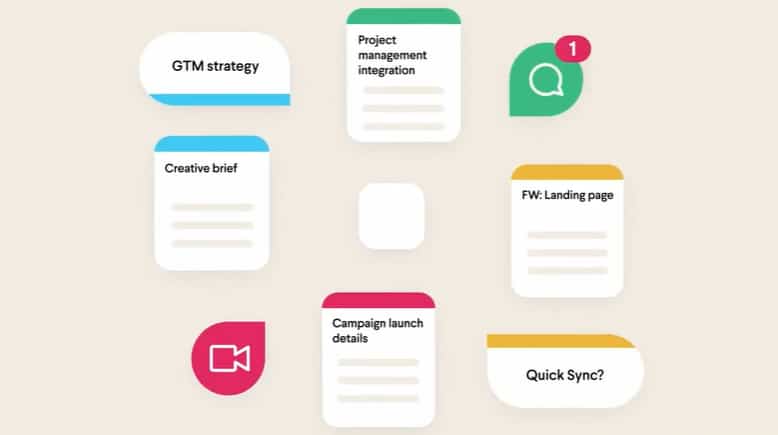
Slack puts the interface at the center of the explanation. As the narrator describes a workflow, the screen performs the relevant action at the same moment, connecting each feature name directly to what the viewer sees.
Slack keeps each spoken feature tied to the action happening on screen. The name and the interface action arrive together, which makes the walkthrough easy to follow.
4. Monday.com: A Longer Product Walkthrough
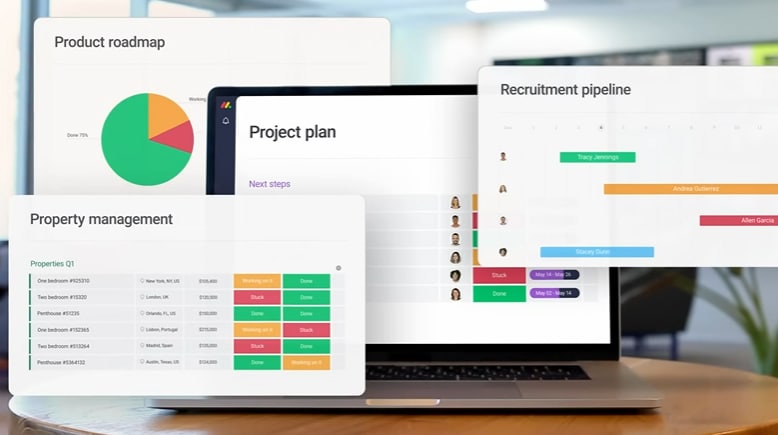
Monday.com has too much functionality for a tiny spot. The video spends more time on the platform so the narrator can move through several use cases while the interface shows each feature in practice.
Monday.com gives the walkthrough more room because the platform has more to show. Trimming it into a tiny ad would remove the context that makes the workflow understandable.
5. AirTM: 2D Process Explainer
Cross border financial services involve a lot of backend steps that are difficult to explain in film because much of the value happens out of sight.
AirTM uses 2D animation to turn those steps into a visible sequence. Transactions move across the screen, each stage has a clear visual role, and the viewer can follow what happens without having to understand the entire financial infrastructure behind the platform.
I see this a lot in finance, insurance, logistics, and software. Sometimes the product value is a transaction, a rule, or a flow of data. A visible path gives the viewer something concrete to follow.
6. HubSpot: Workplace Scenarios Before the Software
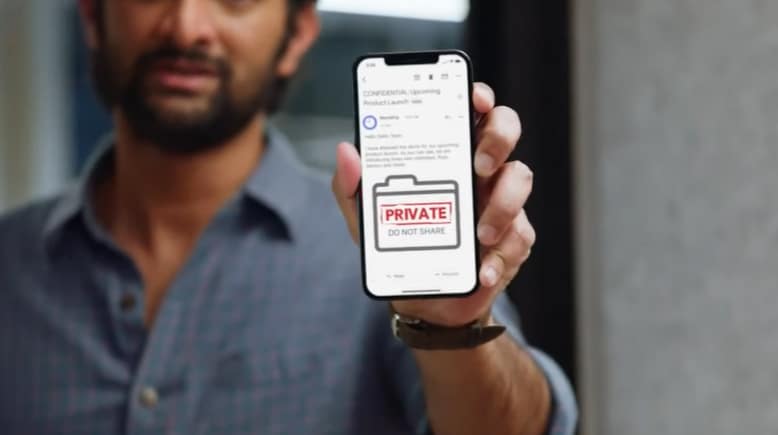
HubSpot starts with workplace frustration and lets the joke establish the problem before the interface appears. By the time the software enters the story, the viewer already knows what it is fixing.
7. Adobe: Product Feature Video Focused on the Output
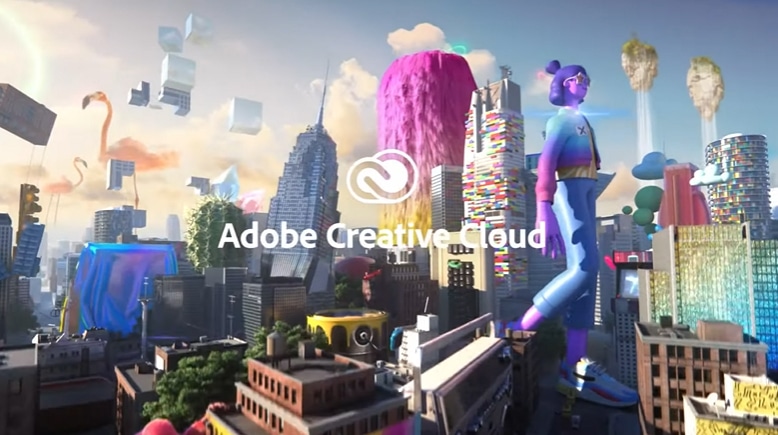
Adobe could spend the whole video moving through menus and tools. Instead, it keeps pulling attention toward the work those tools produce.
The video makes the creative output the main evidence. Images transform, compositions change, and finished work shows what the software can do.
For creative software, the finished output is often the most persuasive demonstration. Adobe shows transformations, compositions, and finished work, so the viewer sees the result before thinking about the controls behind it.
Physical Product Demos and Feature Videos
Physical product videos can work directly with materials, movement, scale, and real use.
8. Nike: Product Commercial for KD12 Shoes
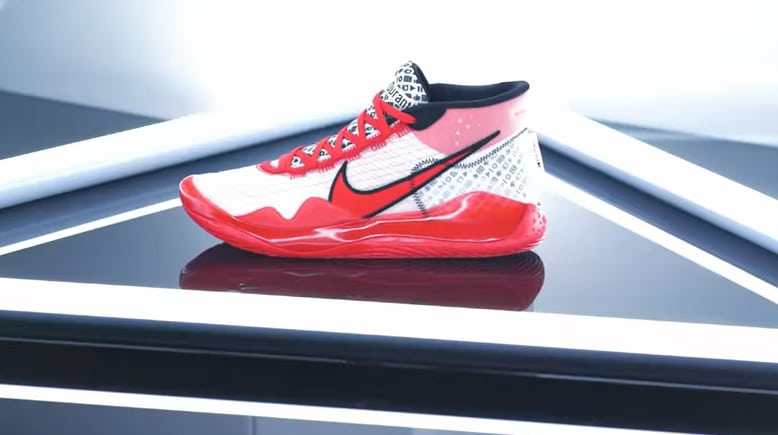
The KD12 video is built around visual identity and product detail. The shoe itself stays at the center of the frame.
To do this, the video highlights design choices and material details, using 360 degree movement, close shots of the shoe, and a strong red palette connected to Kevin Durant’s YouTube identity. The camera spends time on small details because those details are part of what the customer is evaluating.
The close shots are doing sales work here. They let the viewer inspect the same details that might otherwise be reduced to a few lines of product copy.
9. Apple: iPad Air Product Launch Video
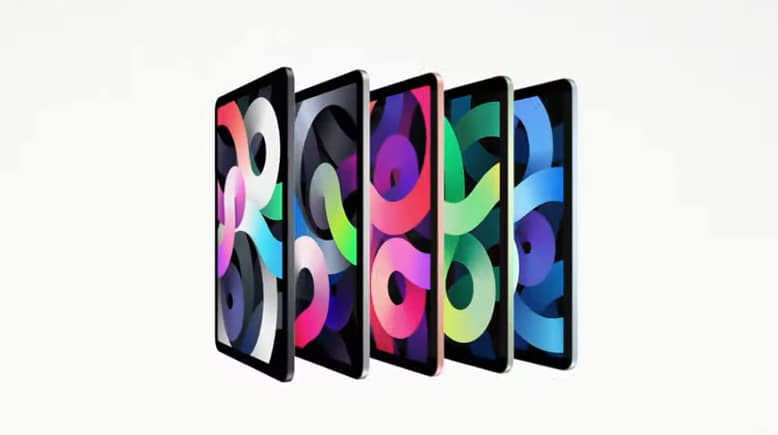
Apple puts the iPad Air to work instead of reading a specification list at the viewer. Text appears on the device, then the product handles gaming and creative tasks on screen.
Text appears directly on the iPad, then the device handles demanding tasks like gaming and creative work. Those demonstrations make the processor claim visible.
The processor claim lands because the viewer sees the device doing work that requires processing power. The demonstration carries more weight than another adjective about speed.
10. Bulls Bikes US: Product Showcase Video by Yum Yum Videos
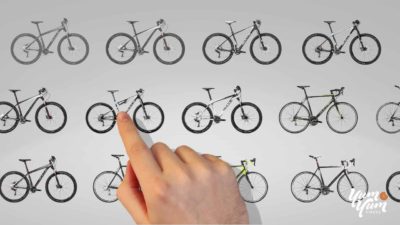
With Bulls Bikes US, the product stays at the center even while the script addresses several technical features.
The opening uses a search bar to introduce the qualities a buyer might look for in an electric bike. From there, animated graphics point to specific components while live footage shows the bike in use. The viewer gets both the feature and the physical context.
The search bar is a smart opening because it starts with questions a bike buyer might already have. Sales calls, support tickets, and product page FAQs can reveal the same kind of opening for other products.
11. Victorinox: Swiss Classic Foldable Paring Knife
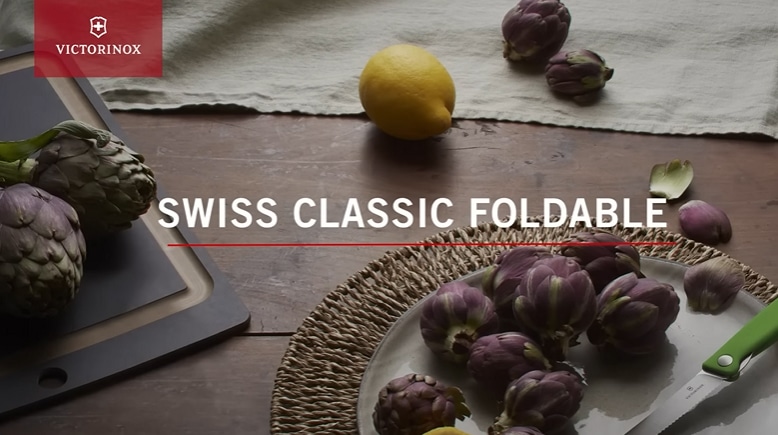
Victorinox keeps this one extremely simple. The camera stays on the knife, the folding mechanism, and the details a buyer would want to inspect.
The camera focuses on the physical mechanism, and on screen text communicates the features. The result works even when the viewer has the sound turned off.
The video still works on ecommerce pages and trade show screens with the sound off. The mechanism and the on screen text carry the explanation.
12. Rolex: Platinum Craftsmanship
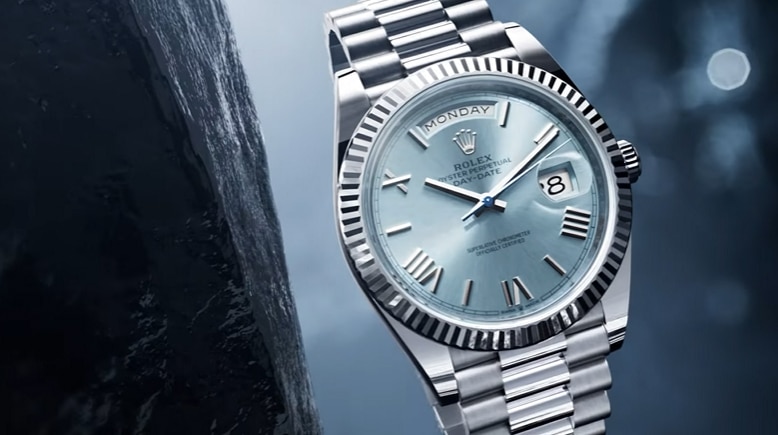
Rolex uses the material itself to make the premium argument. Raw platinum and finished surfaces carry most of the message.
Raw platinum appears alongside finished surfaces, dials, and bezels. Macro footage allows the viewer to feel the craftsmanship and expertise that go into the watches.
Rolex barely needs descriptive language once the macro footage takes over. Raw platinum, polished surfaces, dials, and bezels make the quality argument visually.
13. Nike: Leggings in Motion
Static apparel photography shows color and fit. Video adds the part a still image misses: what happens when the clothing moves.
Nike films athletes using the leggings during training, so the product is seen stretching, moving, and staying in place under the conditions it was designed for. The editing is energetic and follows the pace of the activity, reaffirming Nike’s identity as a sports clothing brand.
The movement is the proof. A still image can show the leggings, while the video shows how they stretch, move, and stay in place during training.
14. GoPro: HERO12
GoPro can use the camera output as the product demonstration. The HERO12 footage is both the subject of the ad and evidence of what the camera can capture.
The HERO12 footage moves through demanding situations and lets the viewer judge the image for themselves. The final footage serves as evidence and marketing at the same time.
GoPro lets the output make the claim. The same logic works with screen recordings, test results, before and after comparisons, or any result the customer can inspect directly.
15. Marucci: The Development Story
Marucci talks openly about a slower release cycle and explains what happens during that time. Research and development become part of the product story instead of background information.
The spokesperson explains the work behind Marucci’s slower release cycle. Research and development time become part of the quality argument.
The development story works because it ends at the product. The viewer can connect the extra time to research, testing, and the quality Marucci is trying to prove.
Product Commercials and Lifestyle Videos
These ads spend less time explaining mechanics and more time on appetite, identity, atmosphere, or the experience around the product.
16. Dunkin: Salted Caramel Sips
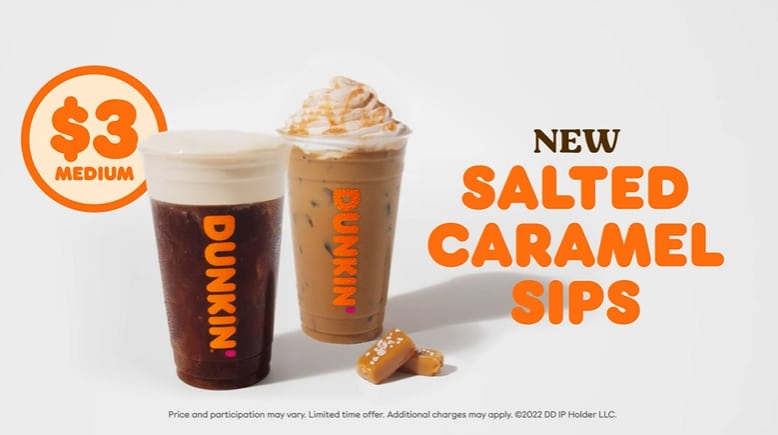
Food videos have a basic limitation: viewers cannot taste anything through the screen. Dunkin works around that by concentrating on texture.
The short video stays close to the details: caramel, ice, pours, and the finished drinks. One product change gets nearly all of the attention, which makes the new flavor feel tangible in a few seconds.
Dunkin gives almost the entire 15 seconds to caramel, ice, pours, and the finished drinks. That restraint is part of why the spot feels clear.
17. Dove: 0% Aluminum Deodorant

Dove has two messages to fit into a short spot: the formula change and the refillable format. The video gives the formula the lead and saves the refillable product for later.
Instead, the piece establishes the main product message first, then introduces the refillable deodorant near the end. The secondary product gets enough screen time to create curiosity without taking over the main explanation.
The hierarchy is easy to read because the second product never competes with the first. It arrives as an extra piece of information near the end.
18. Catan: Animated Gameplay Guide

Catan has a timing problem: a real game takes far longer than a marketing video. Animation lets the edit jump straight to the moments that explain the rules and the fun.
Catan uses animation to compress all of its many elements into a fast sequence. The video can jump directly to the moments that help someone understand how the game works and what makes it fun.
Explainer video production lets Catan cut the waiting and repetition while keeping the sequence of the game intact.
19. JetBlue: JetBlue Mint
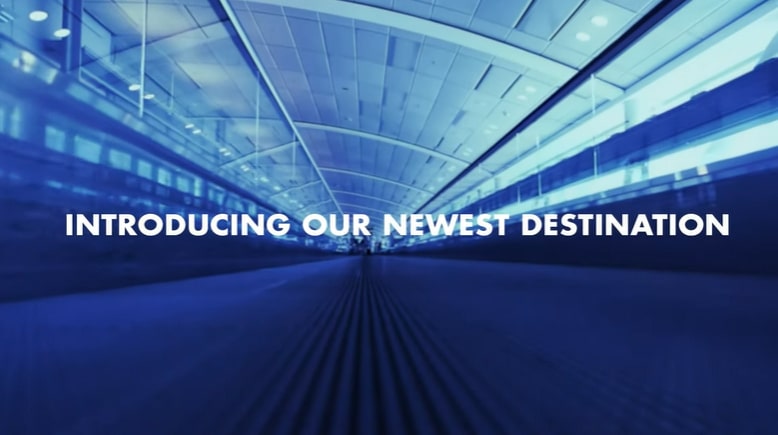
JetBlue walks the viewer through the Mint experience. Food, workspace, bedding, and the general feeling of being on board turn the product video into a preview of the service.
JetBlue sells the environment as part of the service. Food, workspace, bedding, and the cabin itself give the viewer a preview of what the ticket includes.
20. Fenty Skin: Product as Part of a Lifestyle

Fenty Skin frames skincare as part of an active outdoor lifestyle. The setting gives the product line a more energetic identity than a conventional bathroom demonstration would.
Natural light, movement, and outdoor settings give Fenty Skin an active identity. The product is shown as something used during the day, with the setting doing much of the positioning.
The surroundings do a lot of the positioning. They help the viewer understand who the line is for before anyone starts listing ingredients.
21. Starbucks: Coffee Inside Everyday Life
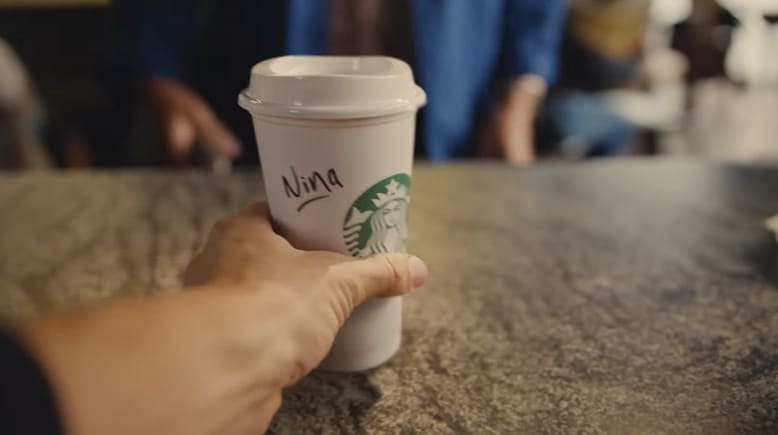
The first time I watched this Starbucks piece, I had to give the transitions a second to click. Objects and situations turn into one another as the video moves through work, social moments, and coffee.
Starbucks uses those transitions to place the drink inside a normal day. That fits a product people buy repeatedly, because the routine around the coffee is part of what the commercial is selling.
22. Lush: Seasonal Product Video
Halloween gives Lush a built in deadline. The collection only has a short selling window, so the calendar creates the urgency without extra explanation.
The Halloween theme already creates a clear buying window. Seasonal colors and themed designs show what the products look like while the calendar supplies the urgency.
Technical and Complex Product Explainers
These last three examples deal with technical information, regulated products, or several audiences at once.
23. Advil: 15 Second Product Commercial
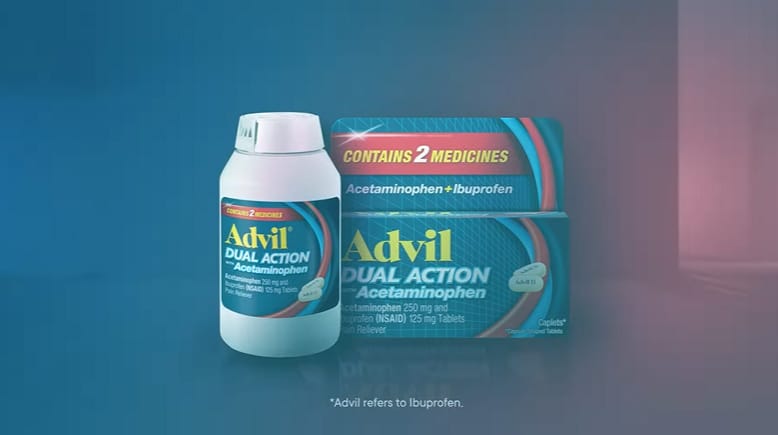
Advil has only 15 seconds, yet the spot still names the active compounds, shows what they do, and explains the duration of the effect.
The viewer hears the ingredient name while a simpler visual shows what it does in the body. That pairing makes the technical language easier to follow within a 15 second product commercial.
The technical terms stay in the script because the visuals help carry them. That keeps the language precise without forcing the viewer to decode everything from narration alone.
24. Thermo Fisher: Technical Product Information Video by Yum Yum Videos
.
Thermo Fisher is speaking to specialists, so the video leaves room for technical detail. The terminology and pacing assume an audience that already knows the field.
For Thermo Fisher, the video combines technical visuals with a measured voiceover that explains the equipment and its purpose. Scientists and other specialists need enough detail to evaluate a sophisticated product, so the terminology and pacing match that audience.
25. MedVector: Investor Explainer Video by Yum Yum Videos
MedVector had an unusually broad audience. Investors, doctors, hospitals, employees, vendors, attorneys, the FDA, and pharmaceutical companies all needed to understand the same product.
Yum Yum Videos built the explanation around a patient scenario. The video follows one concrete situation and shows how MedVector fits into it, giving investors, doctors, hospitals, and other stakeholders the same reference point.
MedVector went on to raise $3.5 million in investment. The MedVector case study documents the project in more detail, and its CEO specifically mentioned Yum Yum Videos when talking about that success:
In fact, we’ve raised $3.5m with a lot of help from our Yum Yum Videos!
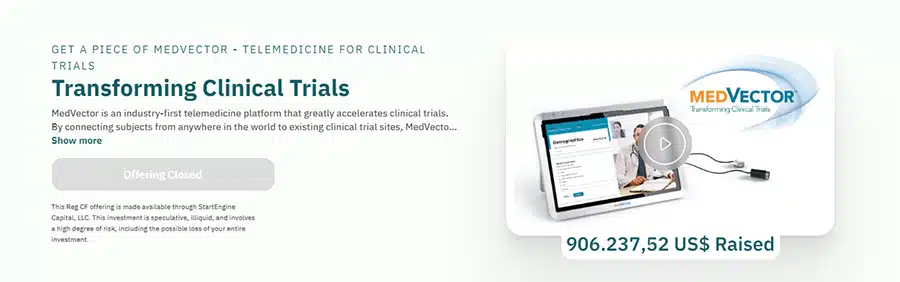
The patient scenario gives all of those audiences one common reference point. Investors, doctors, hospitals, and regulators can follow the same story from different perspectives.
When Does a Business Need a Product Video?
I usually notice the need for video when the same explanation keeps coming up in sales calls or when a product page needs several paragraphs to describe one workflow. Physical products create a similar problem when buyers need to judge movement, materials, or scale.
That tends to happen with technical products, invisible benefits, physical products that need demonstration, and sales where several people evaluate the same offer from different angles.
An experienced animated explainer video company should be able to separate what belongs in the video from what belongs on the page. I would use animation for the parts that need movement, sequence, comparison, or a visual model.

How I’d Plan a Product Marketing Video
When I plan a product marketing video, the explanation comes first. The script, storyboard, production format, edit, and distribution all follow from what the viewer has to understand.
I still break the work into four practical stages: preproduction, production, postproduction, and distribution. Animation, live footage, and interface recordings change what happens inside each stage.
1. Preproduction: Decide What the Viewer Needs
Preproduction is where I cut the scope down. I want one central message, a clear visual plan, and a format that fits the product before anyone starts producing assets.
- Scriptwriting: Build the script around one central message. As a practical production benchmark, about 80 words of narration usually translates to roughly 30 seconds of video.
- Storyboard: Map the important visual action to the script before production begins. When the script mentions a feature, show that feature on screen at the same moment.
- Format selection: Use live footage when physical use, people, materials, or environments matter. Use animation or interface footage when the value lives in software, data, systems, or invisible processes.
2. Production: Capture or Build the Evidence
With live footage, production is the moment to capture the product, people, locations, and details the storyboard called for. Lighting, lenses, camera movement, styling, and set choices all change how the product reads on screen.
With animation, the team builds the illustrations, interface assets, scenes, and motion from the storyboard. I want movement to guide the eye toward the information that matters in each shot.
3. Postproduction: Shape the Pace
Editors shape the final footage, adjust timing, correct color, and add visual effects where they support the piece. Sound design, voiceover, music, and motion graphics help control attention and establish pace.
Animation still needs a final timing pass. Transitions, compositing, effects, and sound can change whether a sequence feels rushed, slow, or easy to follow.
4. Distribution: Cut for the Channel
I decide the primary destination before export. A landing page video and a vertical social cut ask for different openings, aspect ratios, and runtimes, even when they come from the same master.
For search, I use descriptive titles, page copy, transcripts, and structured data. On social channels, I cut the opening harder so the product or problem appears before the viewer scrolls away.
Frequently Asked Questions
What Is the Ideal Length for a Product Video?
Runtime depends on the job. A social ad may only need 15 or 30 seconds, while a product demo or technical explainer may need 60 to 90 seconds or more.
For many landing page videos, 60 to 90 seconds is a useful starting point because it gives the product enough time to establish the problem, explain the core value, and show how it works. If the buyer needs more context, a longer video can be the better choice.
How Much Does Custom Product Video Production Cost?
Format, complexity, runtime, and production level move the budget more than any single headline price.
In July 2026, Yum Yum Videos collected 61 valid professional quotes and found a median price of $9,680 per minute. You can see the methodology and full pricing tiers in the animation cost study.
Live footage can vary even more because locations, actors, equipment, crew size, travel, and shooting days affect the budget.
Where Should I Publish a Product Marketing Video?
I would publish the full video where the viewer is already evaluating the product: a product page, landing page, SaaS feature page, ecommerce listing, or demo page.
From there, adapt shorter cuts for YouTube, social media, paid campaigns, sales outreach, email, and presentations. Use the master video as source material for the versions each channel needs.
What Makes a Good Product Video?
After a good product video, the viewer should be able to explain what the product does and why it fits their situation. I judge the creative choices by whether they make that explanation easier to follow.
What Is the Difference Between a Product Video, a Product Demo, and an Explainer Video?
A product video is the broad category. It can introduce the product, demonstrate it, tell a story around it, or focus on a specific benefit.
A product demo usually spends more time showing the product itself in use. For software, that often means interface recordings or guided workflows.
An explainer video focuses on helping the audience understand an idea, process, product, or service. The three formats can overlap, especially with software and technical products.
Which Product Video Style Should I Use?
I usually start with live footage when buyers need to judge materials, movement, people, or physical use. Software, data, finance, healthcare systems, and other invisible processes usually push me toward animation or interface footage, while mixed media works when I need both.
What I’d Take From These 25 Product Video Examples
The examples point in different directions because the products ask for different kinds of proof.
Amazon Coins needed a visual way to explain something intangible. Nike needed to prove materials and movement. Slack needed the viewer to understand an interface. Rolex used raw material and close photography to communicate value. MedVector needed one story that could make sense to several very different audiences.
I ask the sales team what prospects still ask after reading the page or seeing the demo. Their answer gives me a concrete place to start the script.

Victor Blasco
Co-founder of Yum Yum Videos | Explainer Video & Video Marketing Expert
Victor Blasco has over 25 years of experience in animation and film production. For the past 14+ years, he has worked with companies to create explainer and marketing videos that simplify complex ideas and drive business results.
His work has supported global brands like Amazon and McKesson, as well as startups that raised over $2B and reached unicorn or IPO stages.
Victor shares insights based on real client work. His contributions have been published on platforms like Social Media Examiner, and he has been featured or quoted in outlets such as Forbes.